Welcome to pygeoml200’s documentation!
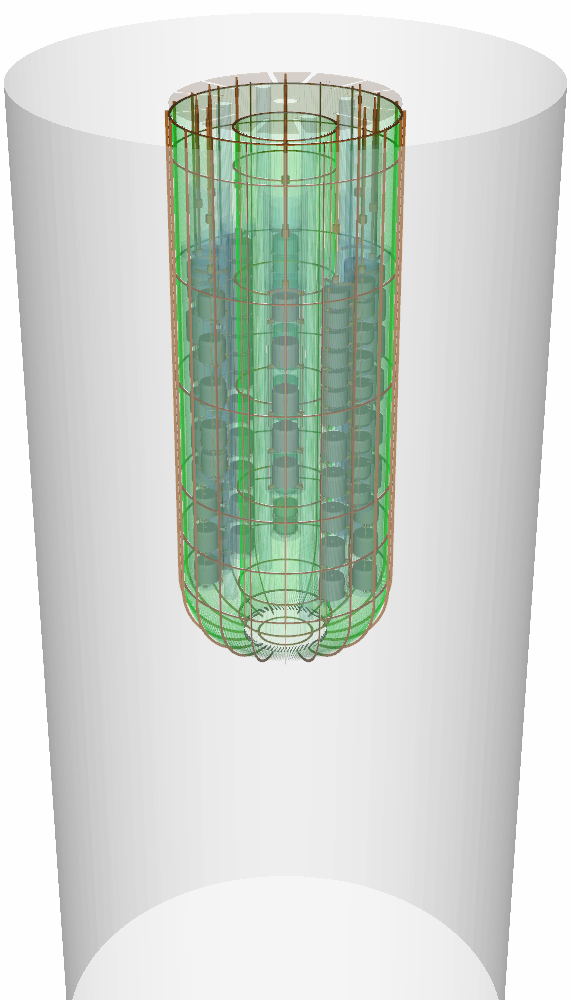
Python package containing the Monte Carlo geometry implementation of the LEGEND-200 experiment.
This geometry can be used as an input to the remage simulation software.
This package is based on pyg4ometry, legend-pygeom-hpges (implementation of HPGe detectors), legend-pygeom-optics (optical properties of materials) and legend-pygeom-tools.
Warning
This is an early version of the LEGEND-200 geometry implemented with the python-based simulation stack. It is not a drop-in replacement for MaGe, and still under heavy development!
Installation
Important
For using all its features, this package requires a working setup of
legend-metadata (private
repository) before usage. A limited public geometry is also implemented.
The latest tagged version and all its dependencies can be installed from PyPI:
pip install legend-pygeom-l200.
Alternatively, the packages’s development version can be installed from a git
checkout: pip install -e . (in the directory of the git checkout).
Usage as CLI tool
After installation, the CLI utility legend-pygeom-l200 is provided on your
$PATH. This CLI utility is the primary way to interact with this package. For
now, you can find usage docs by running legend-pygeom-l200 -h.
In the simplest case, you can create a usable geometry file with:
$ legend-pygeom-l200 --fiber-modules=detailed l200.gdml
The generated geometry can be customized with a large number of options. Some geometry options can both be set on the CLI utility and on the config file. Those are described in Geometry options, but the descriptions similarly applies to the CLI options.
Note
In the new simulation flow architecture introduced with remage, the geometry GDML file contains a single static geometry. For each combination of geometry options (common example: different calibration source positions), a separate GDML file has to be created.